Stories
Phone Speaker Not Working? Try These Simple Fixes Before Heading to Service!

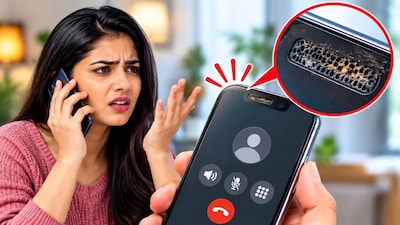
- •Faint earpiece speaker sound during calls is often due to dust and dirt accumulation.
- •Clean the speaker grille with a soft cloth or brush to improve sound clarity.
- •Remove screen protectors if dirt on edges is covering the earpiece speaker.
- •Software issues can also cause low speaker volume; check for updates and restart your phone.
- •If problems persist after cleaning and software checks, consider visiting a service center.
Key Questions Answered
The sudden decrease in sound is usually caused by dust and dirt accumulating in the speaker grille, which prevents sound from coming out properly. Alternatively, a low call volume can also stem from minor software issues on the device.
First, remove any screen protector that might be covering the speaker grille, and gently wipe the surface with a soft cloth. If stubborn dust remains trapped in the tiny holes, you can gently brush the grille using a small brush with soft bristles while avoiding excessive pressure.
If cleaning the speaker does not restore the sound level, check your phone settings for any available software updates and download them. You should also try restarting your phone once, and if the issue persists, take it to a nearby service center for professional hardware checks.