Stories
Why Working At 100% Laptop Brightness Strains Your Eyes

- •Keeping a laptop at maximum brightness can cause symptoms like burning eyes, heaviness, watering, blurred vision, and dull headaches.
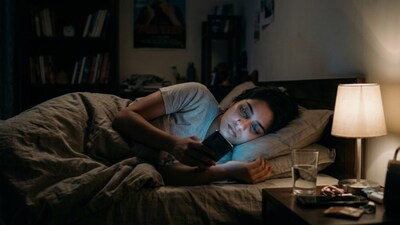
- •When a screen is much brighter than the surrounding room, the high contrast forces the eyes to constantly adjust and causes discomfort.
- •The American Academy of Ophthalmology recommends matching screen brightness to the ambient light of your workspace.
- •Using the 20-20-20 rule—looking at something 20 feet away for 20 seconds every 20 minutes—helps relax your eyes during long work sessions.
- •Persistent blurred vision, headaches, or eye pain should not be ignored and may require an examination by an eye-care professional.
Key Questions Answered
When the screen is much brighter than the room, the contrast forces the eyes to keep adjusting. This mismatch during long work sessions can lead to discomfort such as burning, heaviness, watering, blurred vision, or a dull headache.
A useful rule is to match the screen's brightness to the room's brightness so it is comfortable to read without glowing dramatically brighter than its surroundings. The American Academy of Ophthalmology also recommends keeping the screen about an arm's length (25 inches) away, positioned so you look slightly downward at it.
The 20-20-20 approach requires that every 20 minutes, you look at something at least 20 feet away for around 20 seconds. This simple habit interrupts prolonged near-focus work, gives your eyes an opportunity to relax, and helps combat digital eye strain.