Stories
Phone Stolen? 10 Crucial Steps to Take BEFORE It Happens!
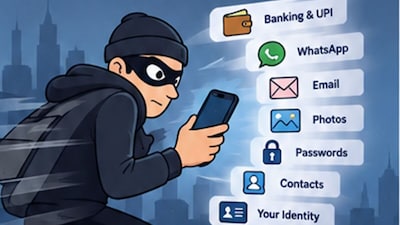
- •Enable 'Find My' or 'Find Hub' immediately to locate or remotely erase your device if lost or stolen.
- •Strengthen your phone's PIN beyond simple sequences like '123456' and consider Stolen Device Protection for iPhones.
- •Limit sensitive information displayed on your lock screen, such as OTPs and password-reset codes, to protect your privacy.
- •Lock critical apps like banking, email, and password managers with additional authentication to prevent unauthorized access.
- •Know how to quickly contact your telecom operator to block or replace your SIM card if your phone is stolen.
- •Ensure automatic cloud backups are active for photos, contacts, and other irreplaceable data.
- •Set up account recovery options that don't solely rely on your phone, and save recovery codes separately.
- •Record your phone's IMEI number in a safe place, especially in India, for blocking via the CEIR service.
- •Understand how to block UPI, banking, and other financial services if your phone is compromised.
- •Practice losing your phone by testing account recovery, location services, and IMEI access to identify preparedness gaps.
Key Questions Answered
First, try to locate and lock your phone using Find My or Find Hub, marking it as lost. Contact the police instead of trying to recover it yourself, and notify your telecom operator and banks. Finally, file a police complaint and use India's CEIR/Sanchar Saathi service to request blocking of the handset's IMEI.
You can visit the CEIR portal, select the option to block a stolen or lost mobile, and fill in details such as your mobile model and IMEI number. You will need to upload required identity documents along with a copy of your police complaint, after which you will receive a Request ID to track the status.
A locked phone can still display sensitive information like bank OTPs, card transactions, password-reset codes, and private messages. Hiding these notifications prevents thieves from easily reading verification codes and gaining unauthorized access to your accounts.