Stories
Bank SMS Fraud Alert: 3 Tips to Spot Scam Messages and Identify Fake Texts
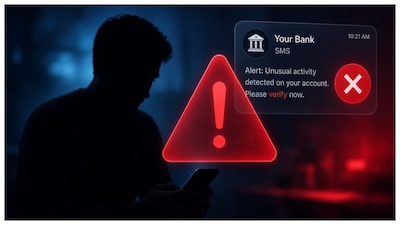
- •Urgent messages like "Your KYC has expired" are common phishing tactics designed to make you act without thinking; always verify through official bank channels.
- •Inspect the sender and links carefully, as scammers use smishing to direct users to fake websites; look for spelling changes or unfamiliar domains.
- •Never share OTPs, PINs, passwords, or banking details in response to unsolicited messages, as genuine banks will never ask for this information.
- •If you've clicked a suspicious link, immediately contact your bank through official channels and report any suspected financial cyber fraud to 1930 or the National Cyber Crime Reporting Portal.
- •Be cautious of messages asking you to install apps or APKs to resolve banking issues, as these can be malicious and steal credentials.
Key Questions Answered
Scam messages often create a false sense of urgency by claiming your bank account, KYC, or debit card will be blocked. They may feature suspicious or shortened URLs, unfamiliar domains, poor grammar, or requests to download malicious APK apps and share sensitive financial details like OTPs.
Do not panic, reply, or click links inside unsolicited messages. Instead, open your bank's official mobile app or manually type the verified website address to check for any legitimate account alerts.
If you suspect you have been scammed, contact your bank immediately via its official customer-care channel to review recent transactions. You should also report financial cyber fraud incidents through the National Cyber Crime Reporting Portal or by calling 1930