Stories
WhatsApp's Hidden Undo: Accidentally Deleted a Message for Yourself? Here's the Fix!
N
News18•03-10-2026, 13:24
WhatsApp's Hidden Undo: Accidentally Deleted a Message for Yourself? Here's the Fix!
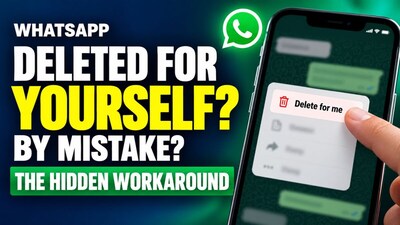
- •WhatsApp offers an "Undo" button for about five seconds after you tap "Delete for me," allowing you to retrieve the message and then delete it for everyone.
- •To fix a "Delete for me" mistake, tap "Undo" immediately after deleting, then long-press the message again and choose "Delete for everyone."
- •If you miss the Undo window, group admins can delete messages for everyone in a group, or you can ask the recipient to delete it in a personal chat.
- •WhatsApp extended the "Delete for everyone" window to about two and a half days after sending a message.
- •To avoid mistakes, read the delete options carefully, act quickly, and remember recipients might still see messages in notifications even after deletion.
Key Questions Answered
Right after tapping Delete for me, look for the Undo button near the bottom of the screen and tap it within about five seconds. The message will reappear, allowing you to long-press it and choose Delete for everyone instead.
Once the Undo button disappears, the message cannot be restored on your phone and will remain visible to others. However, in a group, you can ask an admin to delete it, or in a personal chat, ask the other person to delete it from their side.
In 2022, WhatsApp extended the time window to use the Delete for everyone feature to about two and a half days after sending. After that period expires, the option to delete for everyone no longer appears.