Stories
Apple's iOS 27: The Ultimate Child Safety Toolkit for Your Kid's First iPhone
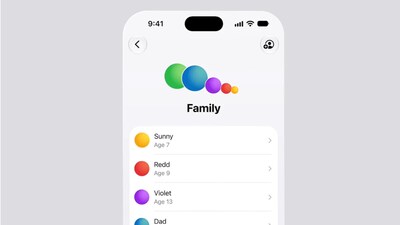
- •Apple's new video highlights robust child safety tools in iOS 27, iPadOS 27, and macOS 27, making iPhones a strong contender for a child's first mobile device.
- •Unlike Android's fragmented parental controls, Apple's system uses a single Child Account via Family Sharing, offering a unified dashboard for managing apps, websites, contacts, screen time, and content filters.
- •iOS 27 introduces granular controls like Ask to Buy for apps and Ask to Browse for websites, allowing parents to approve or block content before a child accesses it.
- •Communication Safety features in iOS enable parents to approve new contacts and automatically scan messages and FaceTime for inappropriate content, system-wide.
- •Time Allowances in iOS 27 offer flexible, category-based screen time limits, adapting to a child's age and schedule, with one-tap pausing for immediate breaks.
Key Questions Answered
On an iPhone, parental controls run through a single Child Account managed via a central dashboard for apps, websites, and screen time. In contrast, Android parental controls are often more scattered, requiring parents to juggle Google's Family Link alongside separate tools from individual phone manufacturers.
Ask to Browse is a parental control feature that lets parents approve or block individual websites in Safari before a child can visit them. It works similarly to Ask to Buy and is turned on by default for children under the age of 13.
Time Allowances allow parents to set daily screen time limits by specific categories like games, social media, and entertainment, rather than applying a single blanket restriction. The feature also includes age-based starting points developed with the American Academy of Pediatrics and options to instantly pause device access with one tap.